Event 23 Sep · New York Africa Digital Futures Forum Building Africa’s digital infrastructure for secured identity, governance and compliance. Register (opens in a new tab)

Product Digital identity

Wond3rcard

A physical card that hands over a contact in one tap and a verified profile in one scan — and stays current after the card is printed.
Practice
Software Solutions
Our role
Design, build, operate
Sector
Professional services
Launched
2021
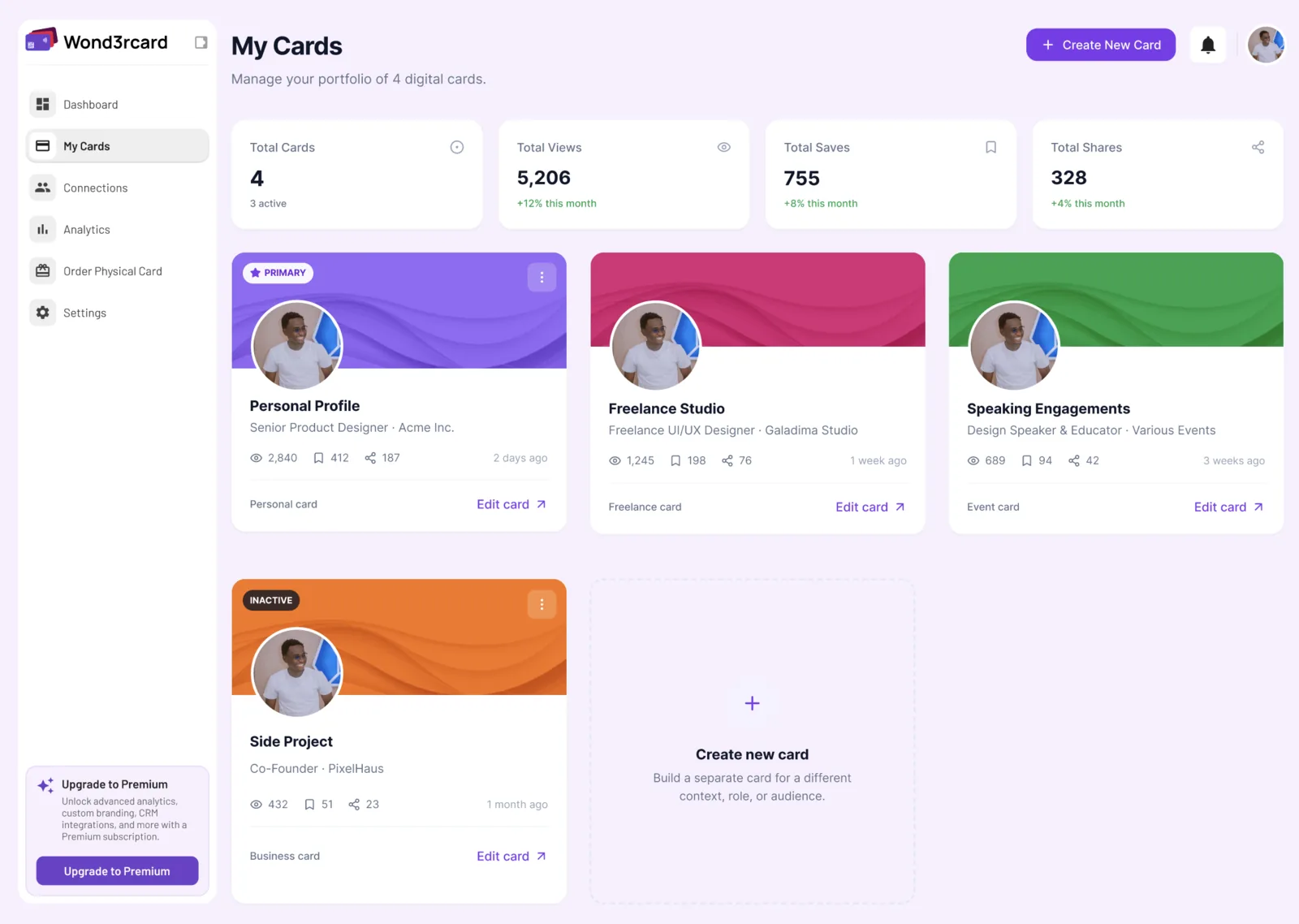
Wond3rcard My Cards screen: a portfolio of four digital cards, each showing its own view, save and share counts.
One portfolio, several cards — a personal profile, a freelance card, a speaking card — each measured separately.
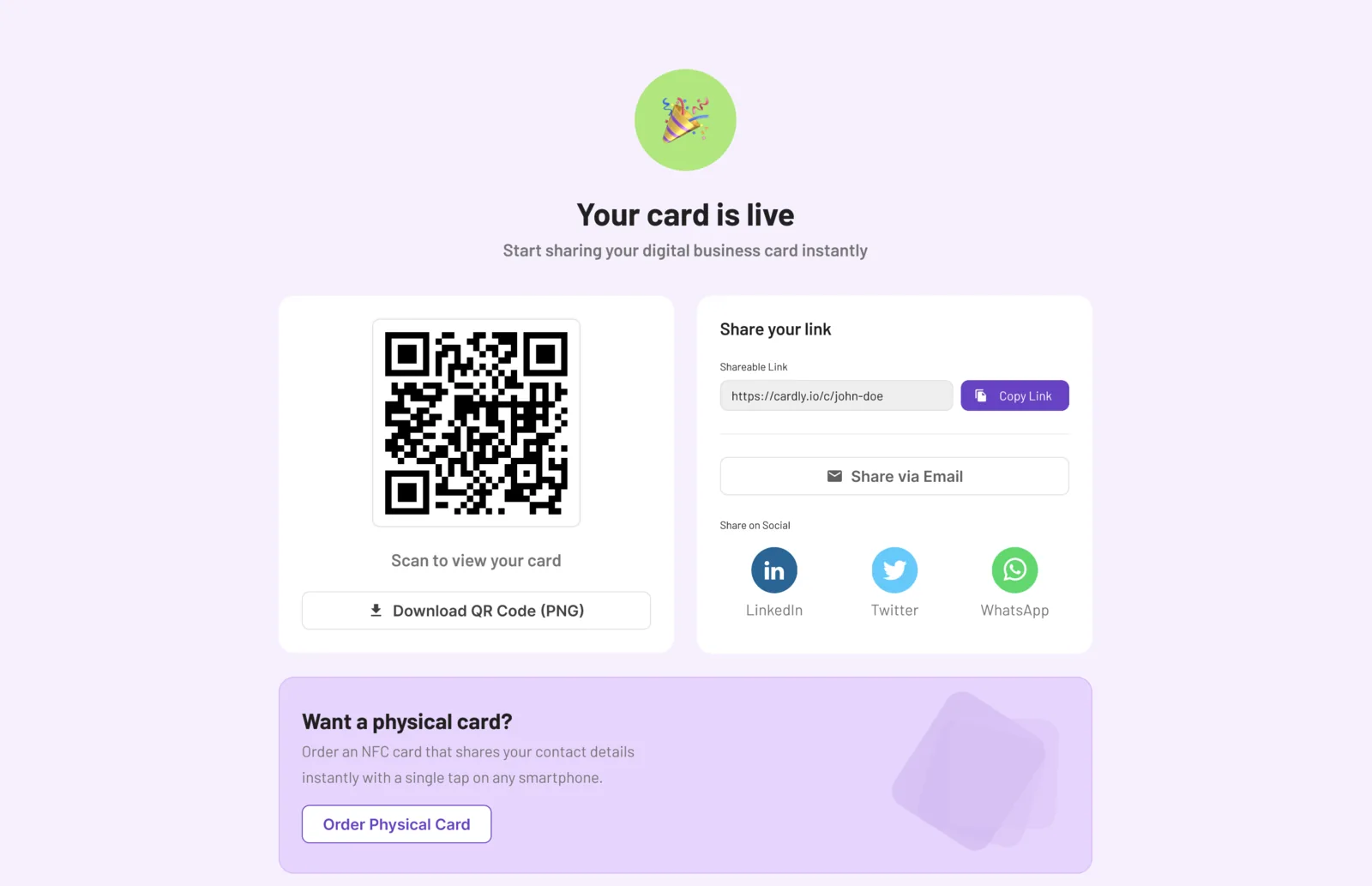
A published Wond3rcard showing its QR code, a copyable share link, and buttons to share by email, LinkedIn, X or WhatsApp.
A card goes live with a QR code and a link before any physical card is ordered.
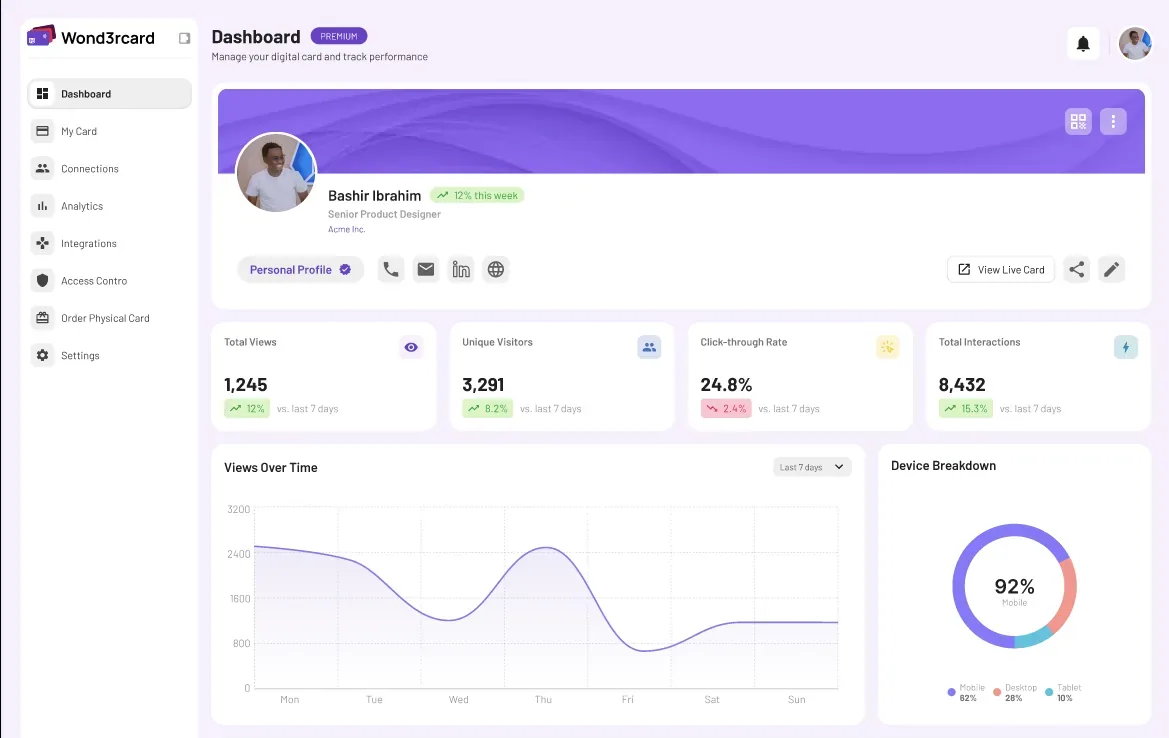
The Wond3rcard dashboard showing analytics for a card: total views, unique visitors, click-through rate and total interactions against the previous seven days, a views-over-time chart, and a device breakdown split across mobile, desktop and tablet.
What a card did after it was shared — views, click-through, and the devices people opened it on.
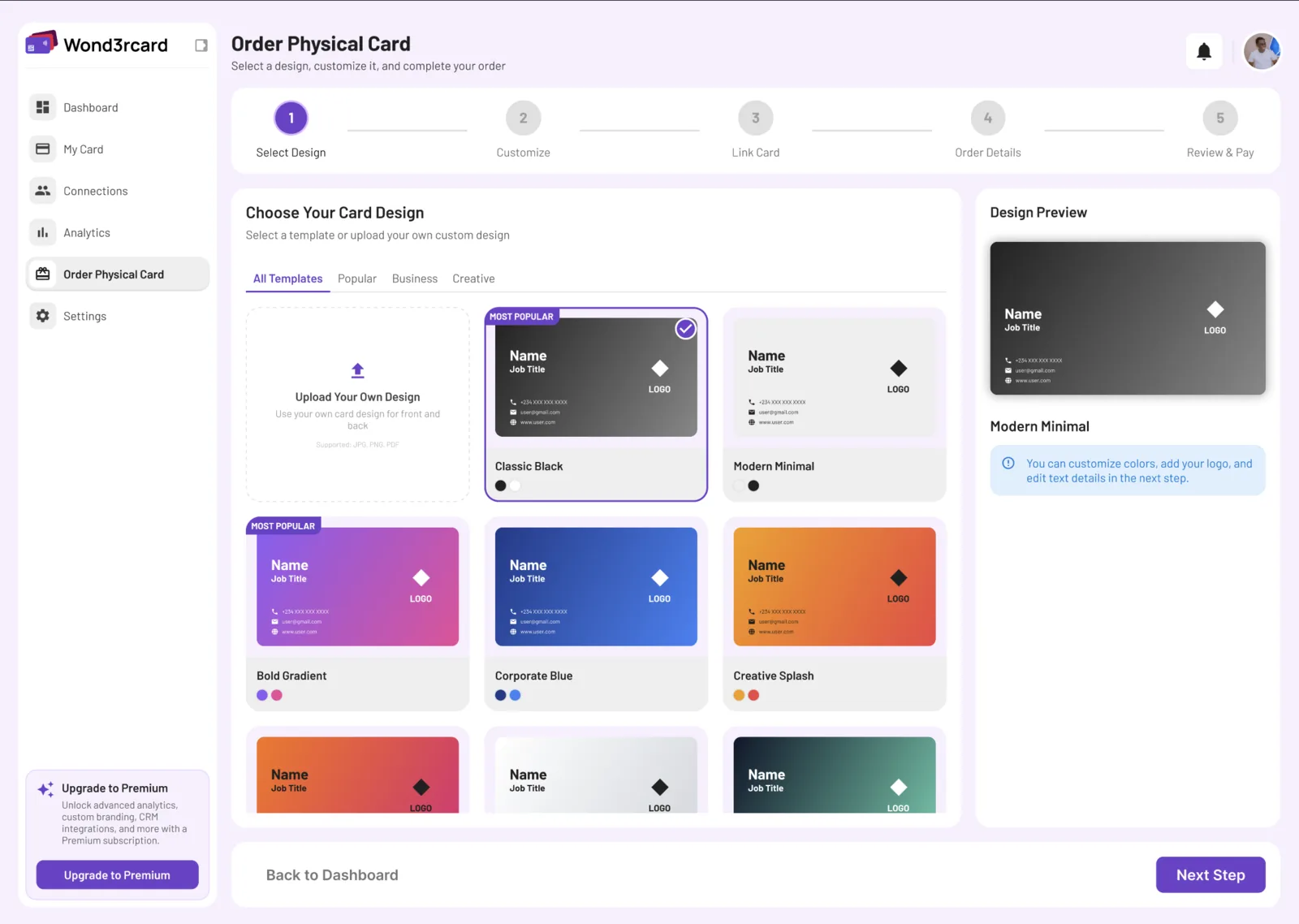
The order flow for a physical NFC card: a five-step wizard on design selection, with card templates and a live design preview.
Ordering the physical NFC card: pick a template or upload a design, then link it to a profile.
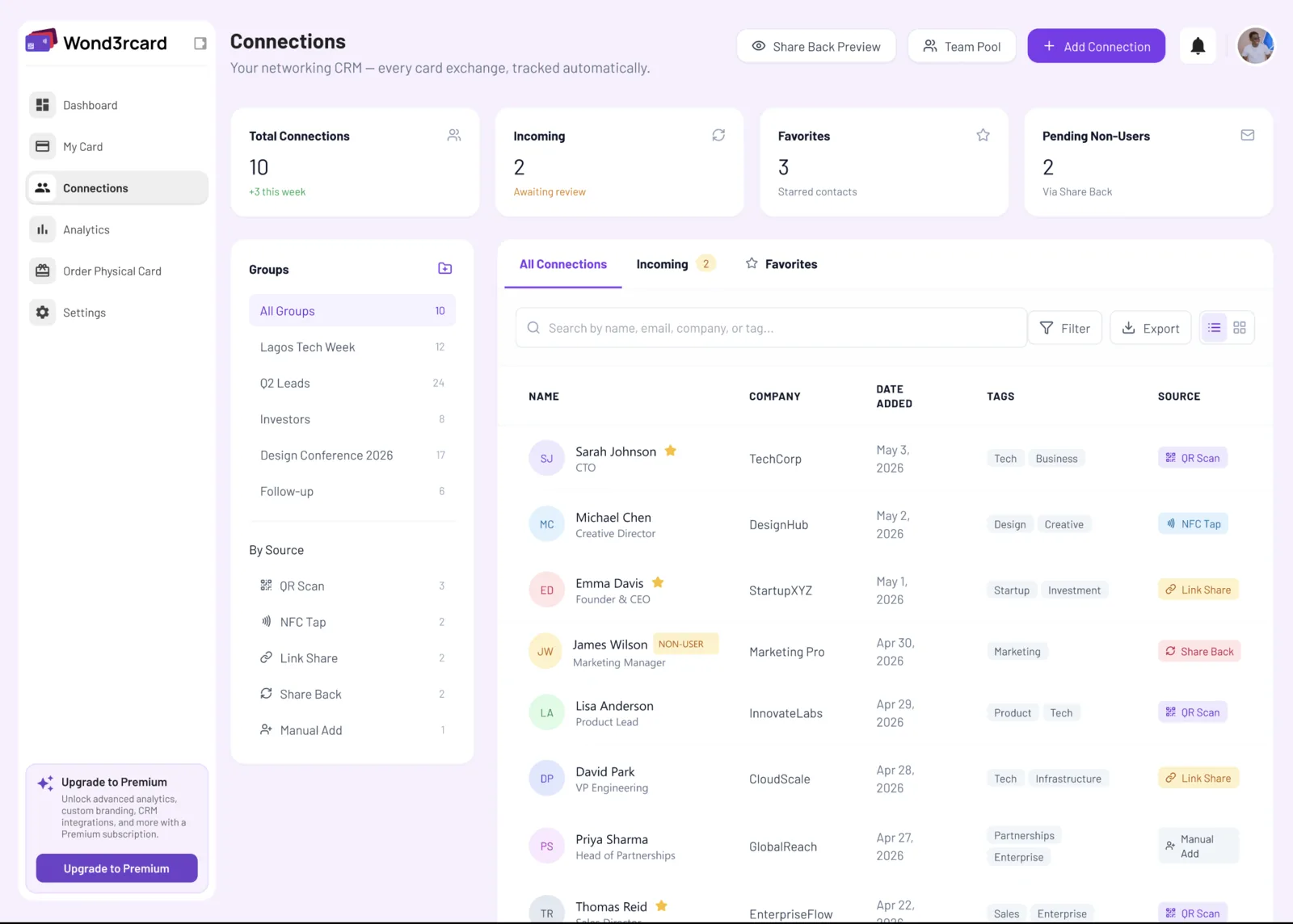
Wond3rcard Connections screen: a table of exchanged contacts with company, date added, tags, and how each arrived — QR code, NFC tap, link share or manual.
Every exchange lands in a CRM, tagged by how it arrived: QR, NFC tap, link or share-back.
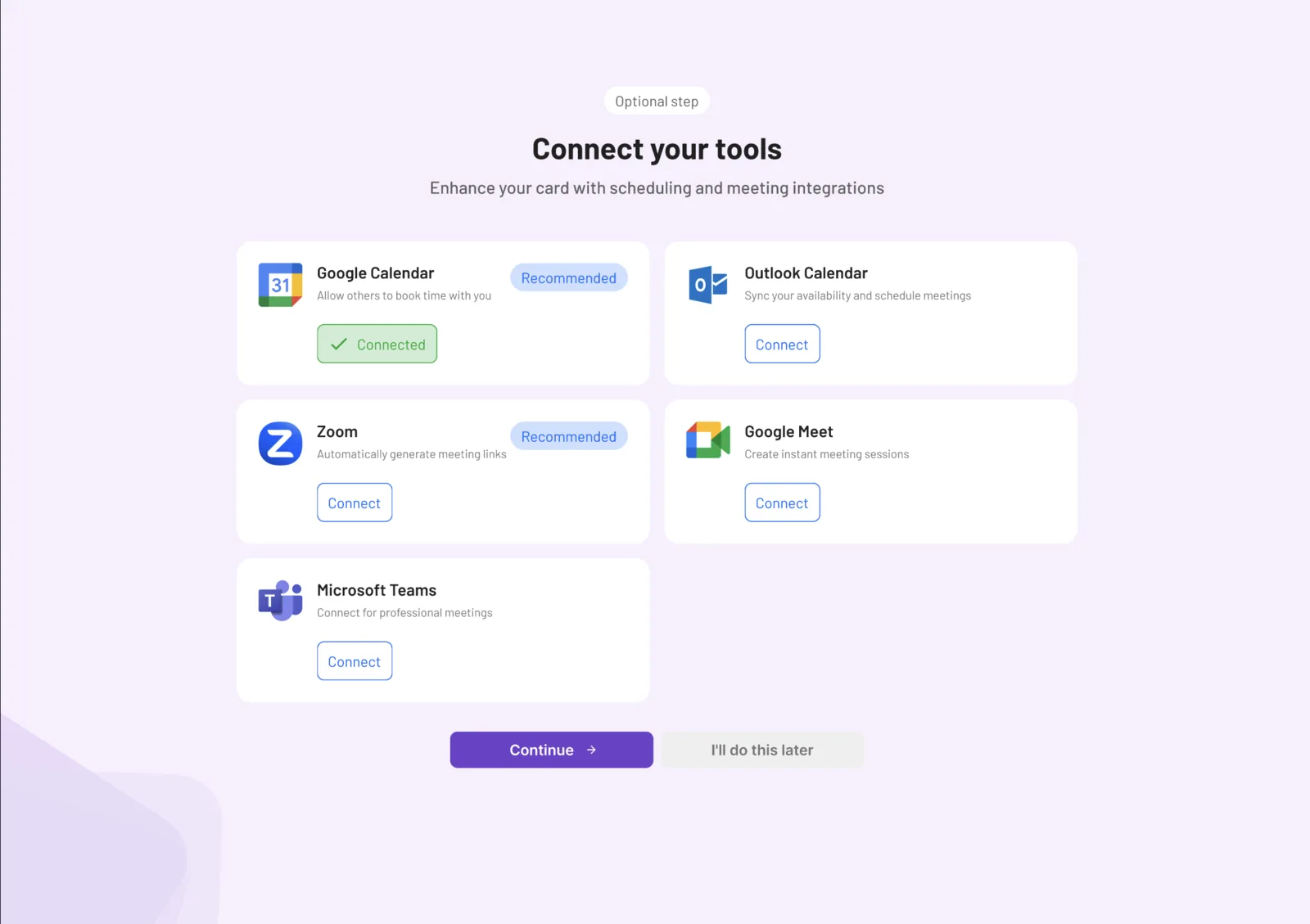
An optional Wond3rcard setup step, Connect your tools, offering Google Calendar (shown already connected), Outlook Calendar, Zoom, Google Meet and Microsoft Teams, each with its own connect action.
Calendar and meeting integrations, so an exchange can end in a booked meeting.
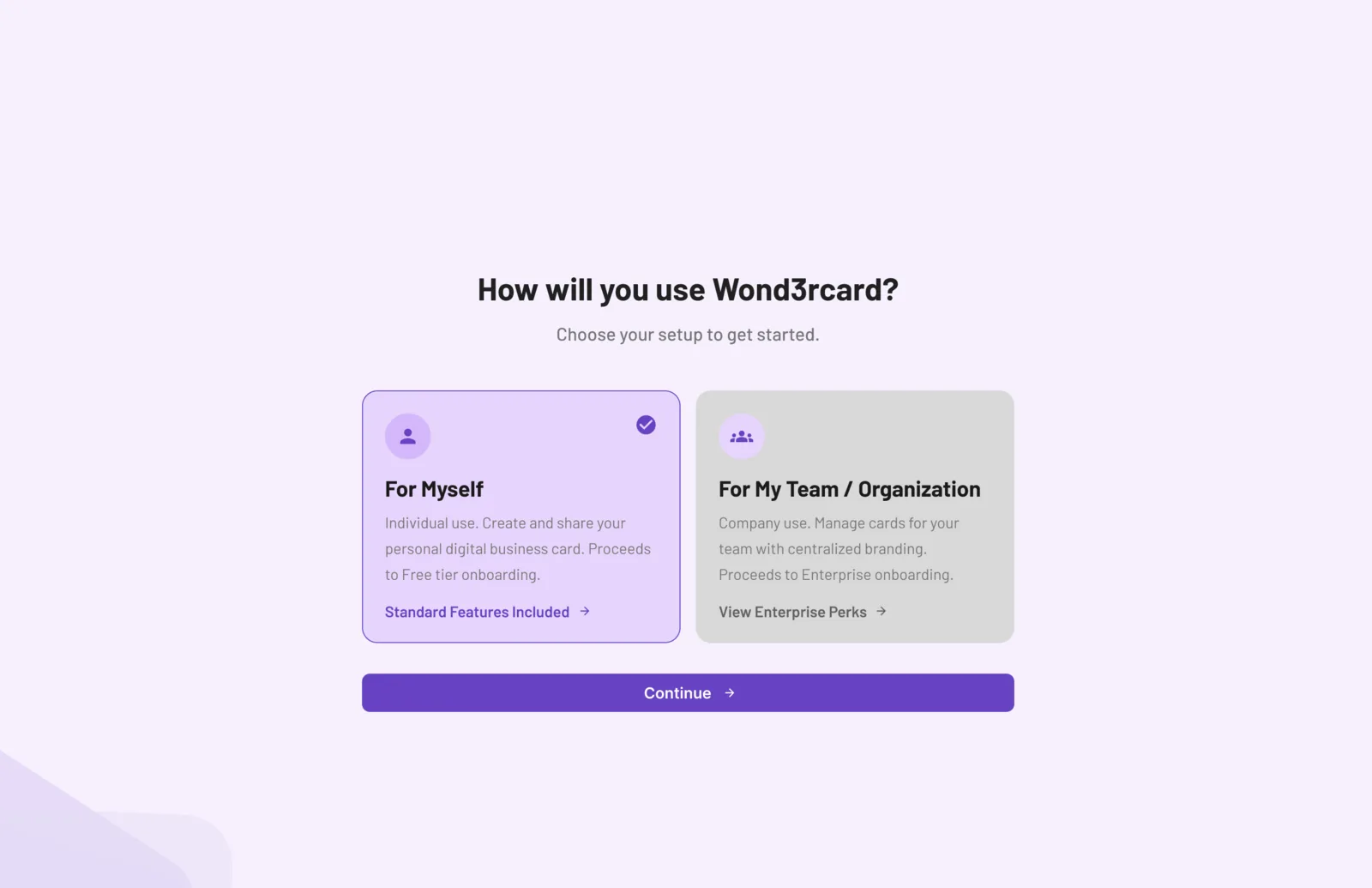
A Wond3rcard setup question asking how the account will be used: For Myself, an individual personal card on the free tier, or For My Team or Organization, managing cards for a team with centralised branding on enterprise onboarding.
One question separates a personal card from a team deployment.
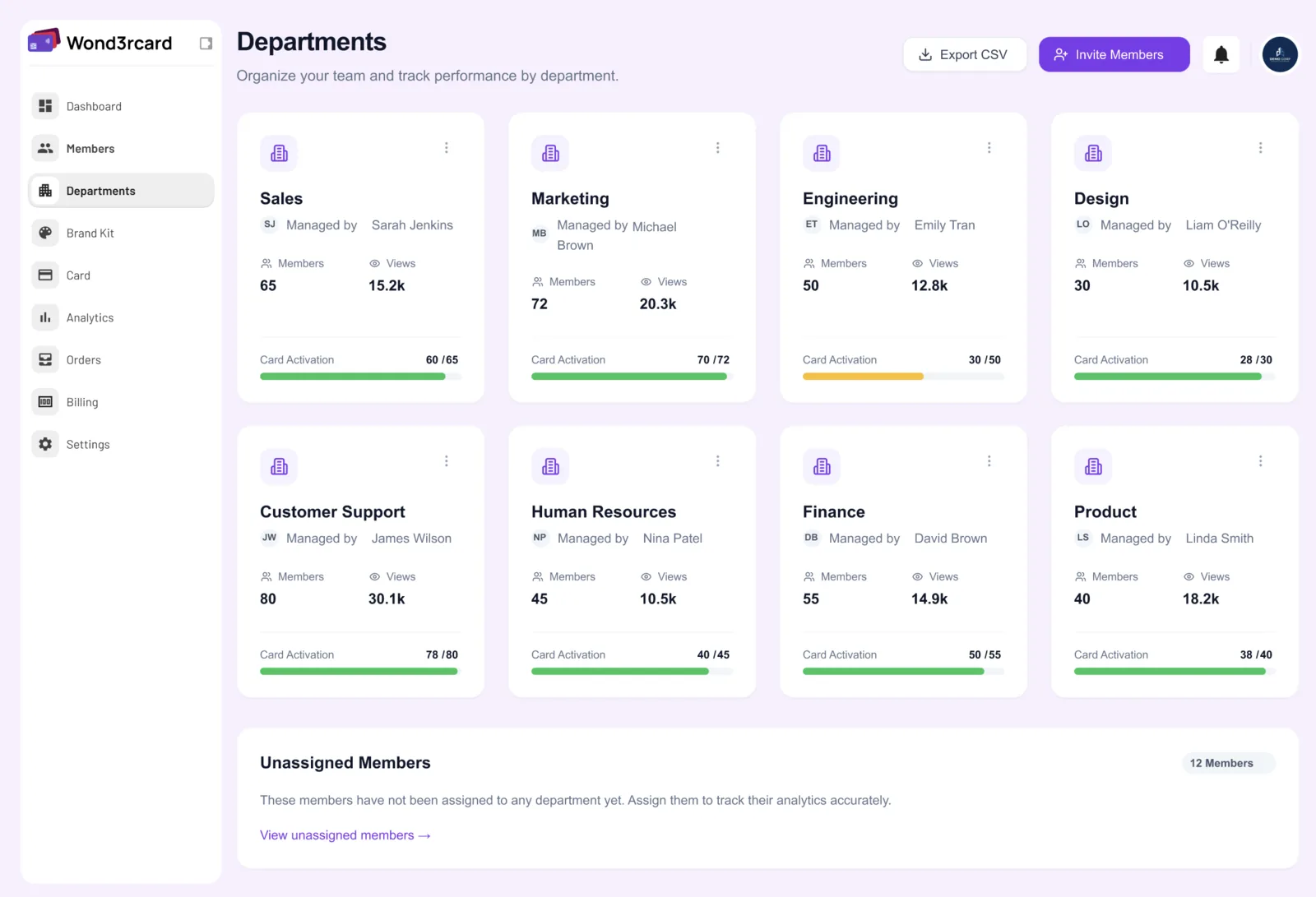
Wond3rcard Departments screen: member counts, views and a card-activation progress bar for each of eight departments.
For teams: card activation and views, broken down by department.
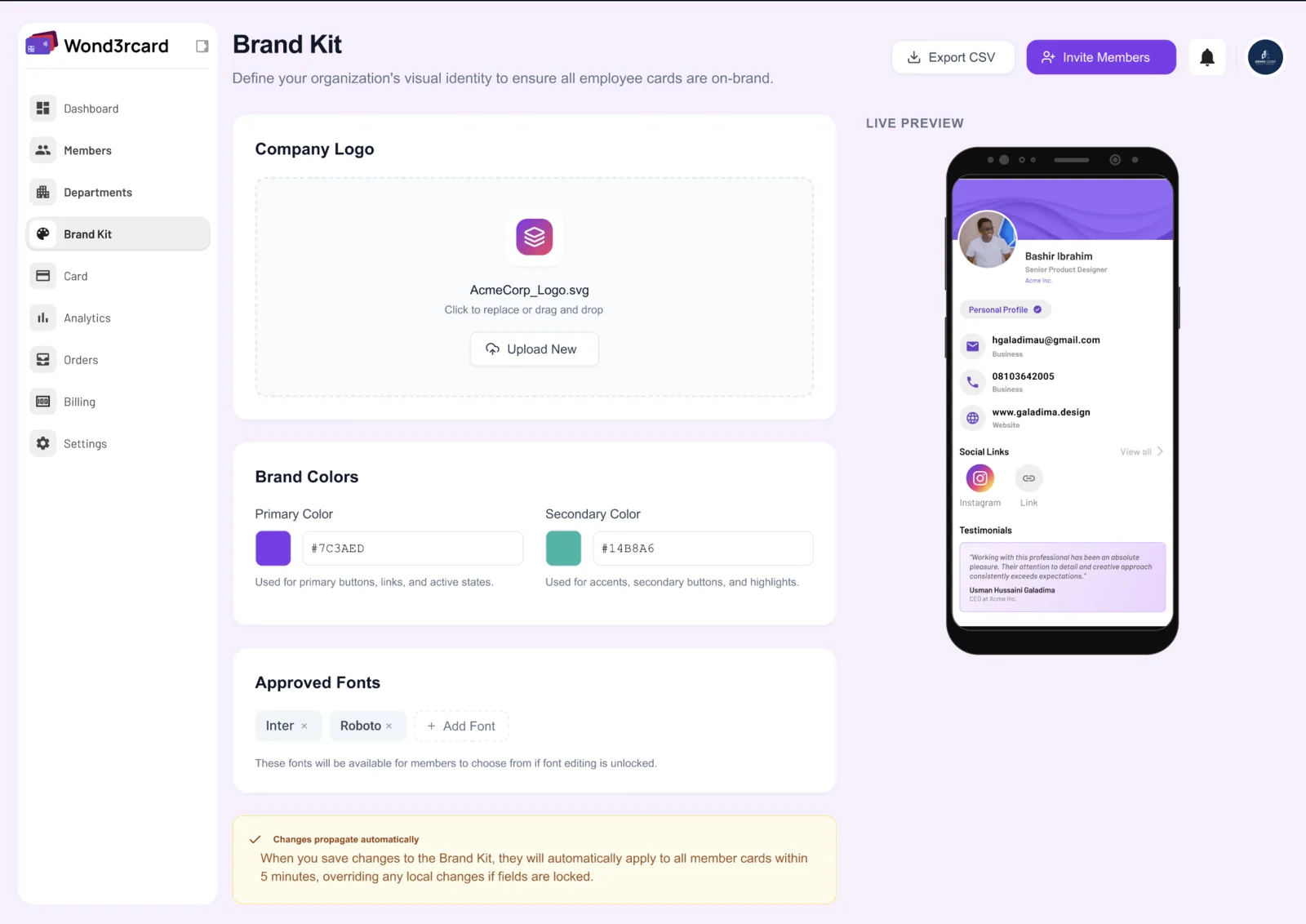
Wond3rcard Brand Kit screen: company logo upload, primary and secondary brand colours, approved fonts, and a live phone preview of a card.
One brand kit propagates to every employee card, overriding local changes.

1 / 9

Fig. 01 — tap and scan

A tap downloads the contact; the printed QR opens the public profile One physical card carries two routes. Tapping it against a phone downloads the contact file directly, with nothing to install and no page to visit. Scanning the QR code printed on the same card opens the holder's public profile in a browser, where the verified badge is shown. The card is the only thing shared; both routes read from the same record, so the profile stays current after the card is printed. PHYSICAL CARD CONTACT DOWNLOADED PUBLIC PROFILE TAPSCAN VERIFIED
Scroll to see the whole diagram

The problem

A paper business card is out of date the moment anything changes — a role, a number, a company. It also carries no proof: anyone can print one, and nothing on it can be checked.

The people who need this most are the ones who hand over credentials constantly: consultants, engineers, health and security professionals, anyone whose claim about themselves has to hold up.

What we built

A physical NFC card paired with a hosted profile. The card carries no data of its own beyond a pointer — tapping it opens the current profile on the phone, so an update propagates without reprinting anything.

No app install on the receiving side. The phone's own NFC reader opens a web profile, which then offers to save the contact. That constraint drove most of the design: if it needed an app, it would not get used.

How verification works

A profile can be marked verified only when a check has actually been performed against a source that can be named. Unverified profiles still work — they simply do not carry the badge.

That distinction is the whole product. A card that claims everything is verified is worth no more than the paper one it replaced.

“Wond3rcard has completely changed how I share my contact details — one tap gives people everything they need, and I no longer have to carry or print business cards.”

Next case

[PROJECT NAME TO SUPPLY]

All work